Product tour
See how Leadlinee turns leads into customers.
From the moment a lead comes in to the follow-ups that bring them back, see exactly how Leadlinee keeps every opportunity organized and moving forward.
7 days free · no card needed · cancel a paid plan anytime
01 · Never lose an opportunity
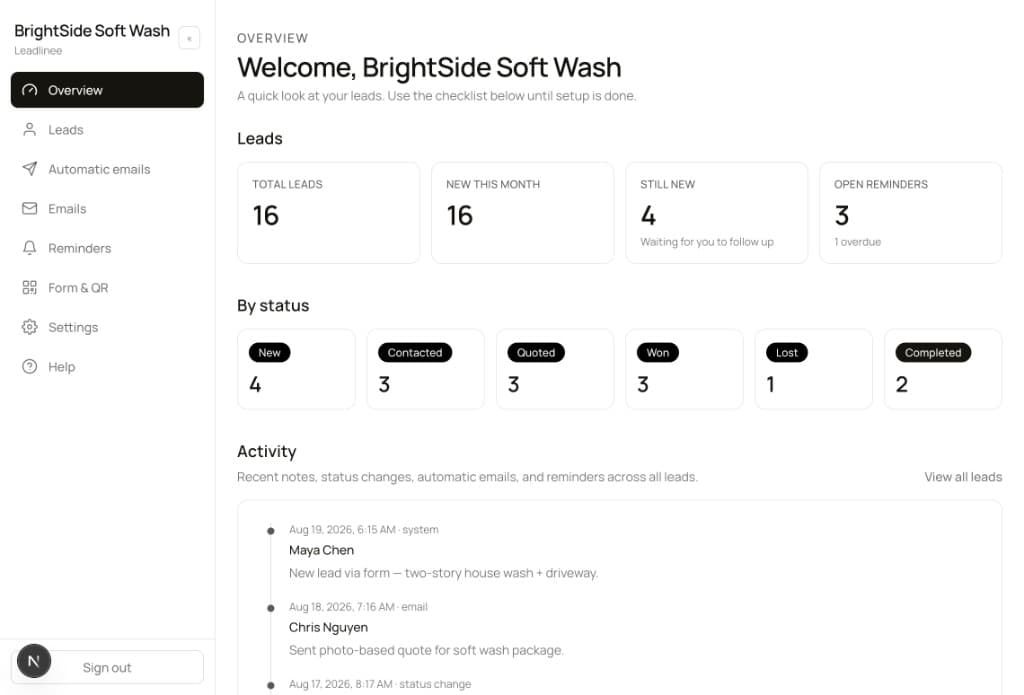
See every lead and what needs your attention.
Totals, what’s still new, open reminders, and a live activity feed so the next step is obvious — not buried in texts.
02 · Keep every lead organized
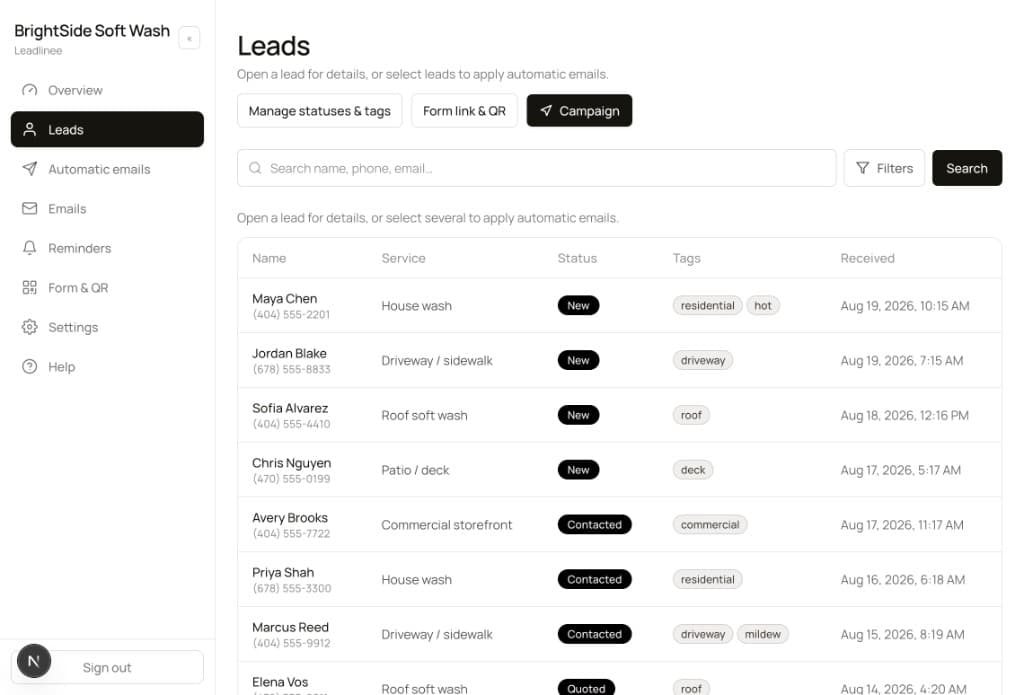
Know who’s new, who’s quoted, and who needs follow-up.
Statuses, tags, and who contacted you — all in one list. Scan, filter, and follow up without digging through DMs.
03 · Follow up without the work
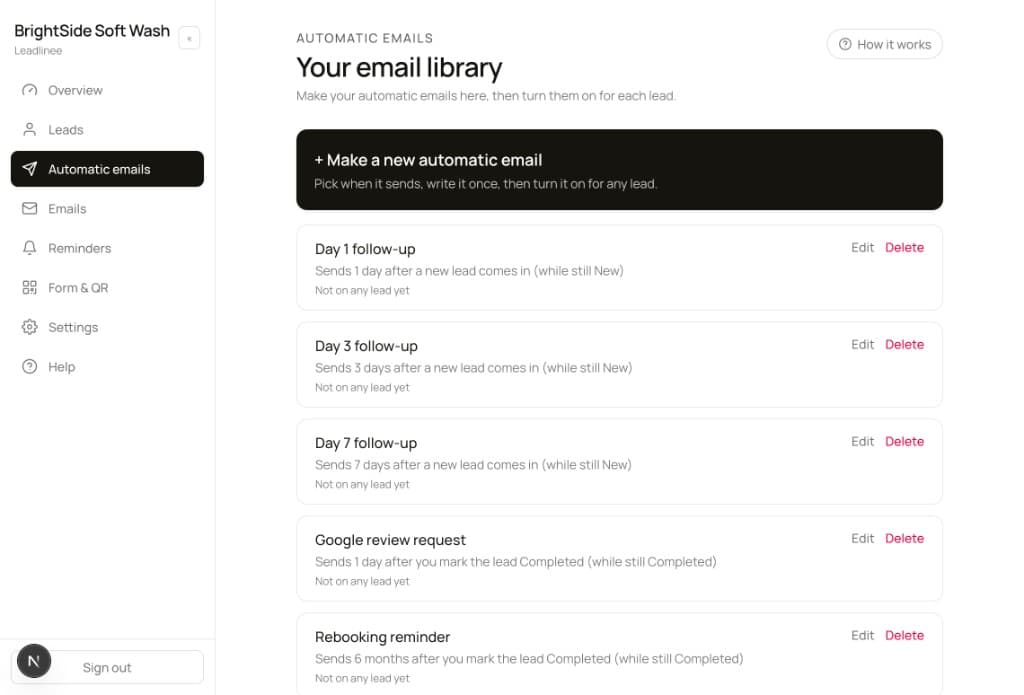
Automatically stay in touch while you run the jobs.
Write day 1 / 3 / 7 follow-ups, a Google review ask after the job, and rebooking months later. Turn them on per lead. Nothing sends until you switch it on.
04 · Emails that look like you
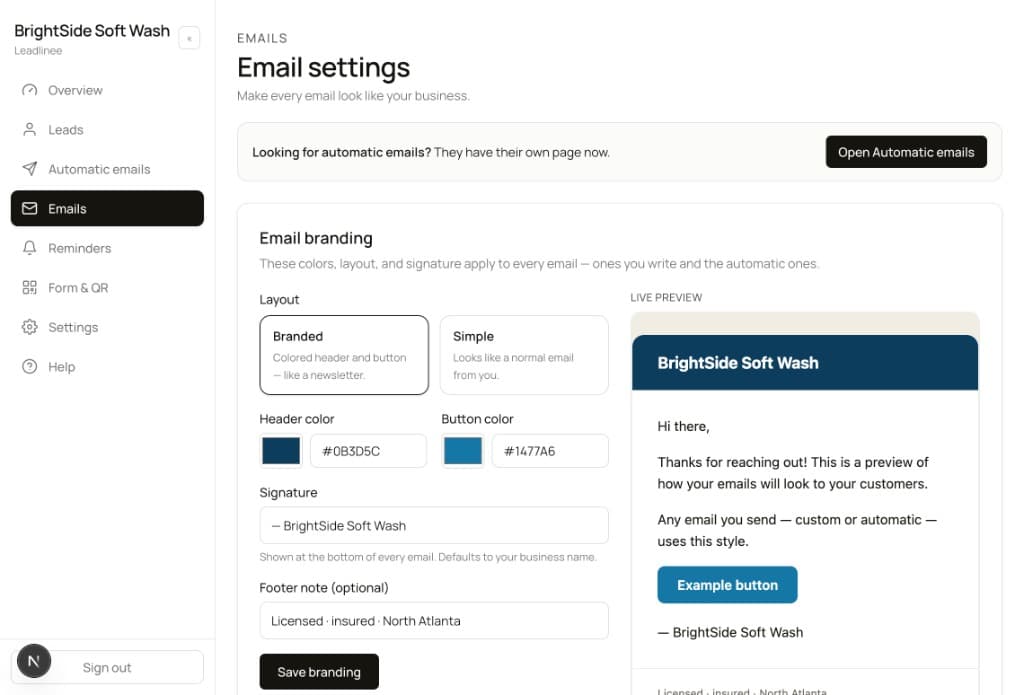
Every message looks like it came from your business.
Pick a branded or simple layout, then set colors, signature, and footer. Manual emails, campaigns, and automations all use this look.
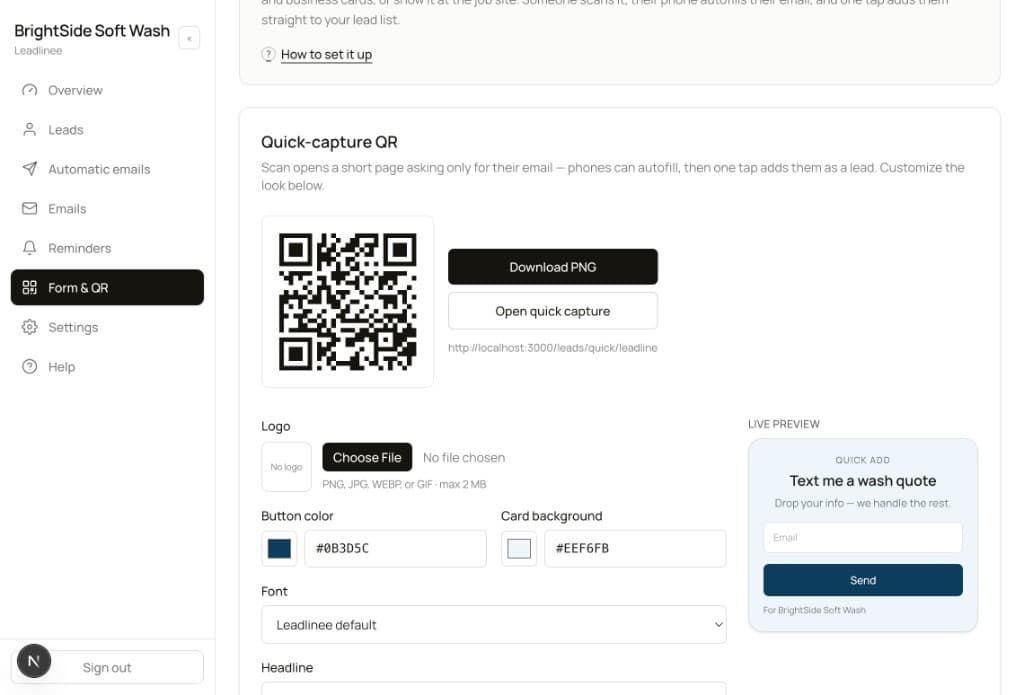
05 · Capture leads anywhere
Turn a QR code into a quote request.
Download a QR for the truck, yard sign, or invoice. Customers scan, drop their info, and land in your list — no long form required.
Ready to turn more leads into customers?
7 days free. No card needed. Then $49/month. Cancel a paid plan anytime.